Prepayment simulator
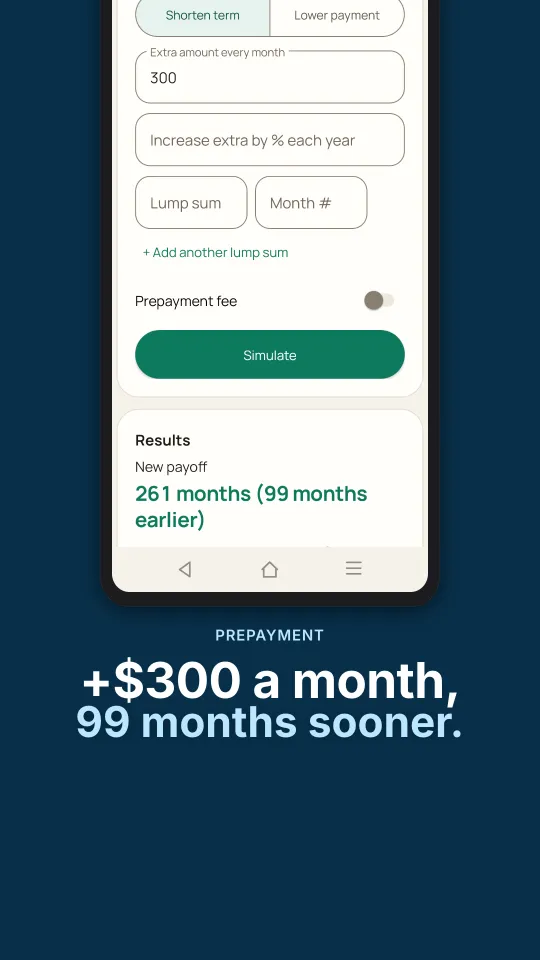
Try lump sums and extra payments that grow each year, and watch the payoff date move.
- Lump sums
- Growing extra
- Shorter term
Free · private · no sign-up
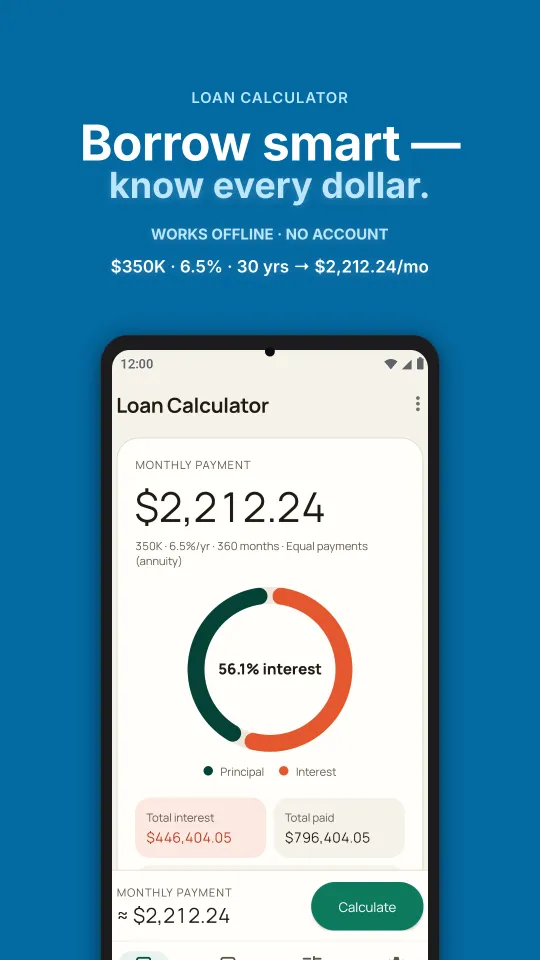
Monthly payment, total interest, payoff date and a full amortization schedule in seconds. Everything runs in your browser — nothing you type is uploaded.
Monthly payment
Extra payment savings
| Period | Payment | Principal | Interest | Balance |
|---|
Payments include any extra payment. Amounts are rounded for display.
Your numbers stay on this device. Results are estimates, not financial advice.
App features
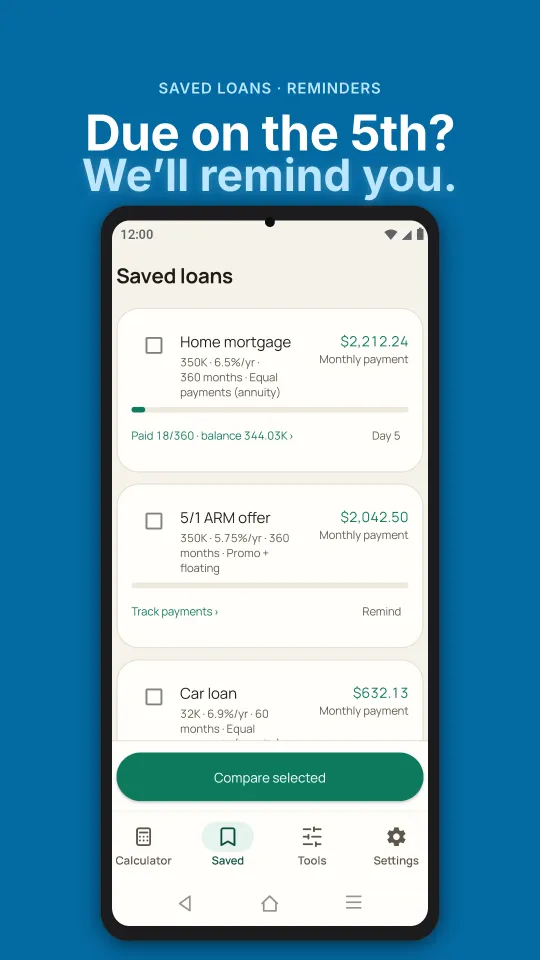
The web calculator covers the basics. The Android app keeps your loans, reminds you when a payment is due and answers the harder questions.
Try lump sums and extra payments that grow each year, and watch the payoff date move.
Put your current loan next to a new rate and term to see whether switching pays off.
Start from a monthly budget and work back to the loan amount it can carry.
Save offers from different lenders and compare them side by side.
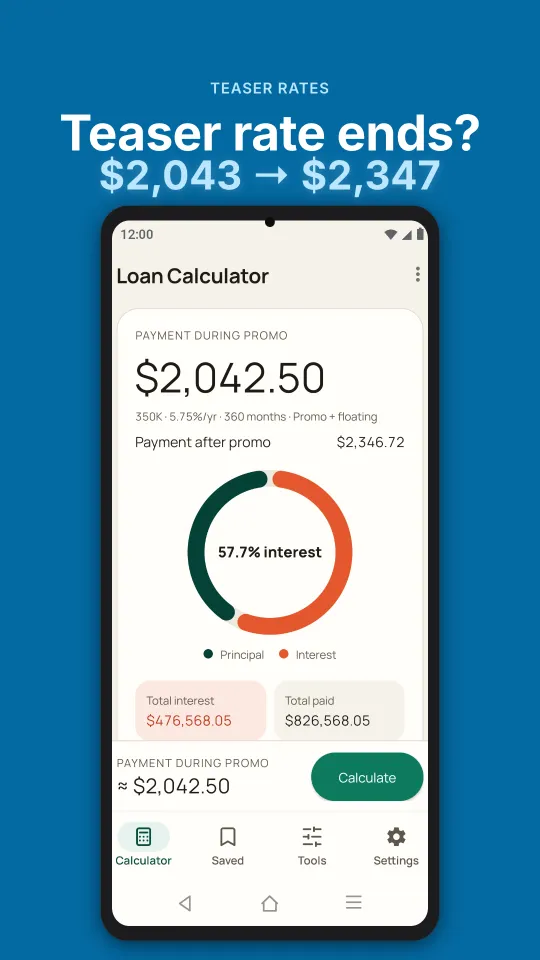
Add fees to see the true yearly cost, not just the headline rate.
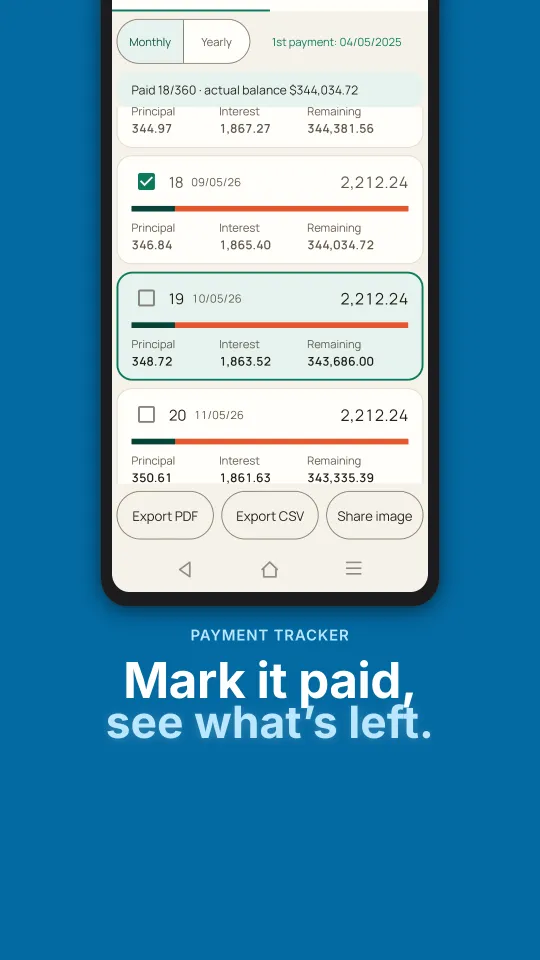
PDF and CSV export with your branding, payment reminders and home-screen widgets.
No account and no sign-in. Your saved loans stay on your phone.
Screenshots
FAQ
For equal monthly payments we use the standard annuity formula: payment = P × r ÷ (1 − (1 + r)−n), where P is the loan amount, r is the yearly rate divided by 12 and n is the number of months. Each payment first covers that month’s interest on the remaining balance; the rest pays down the principal. At 0% the payment is simply P ÷ n.
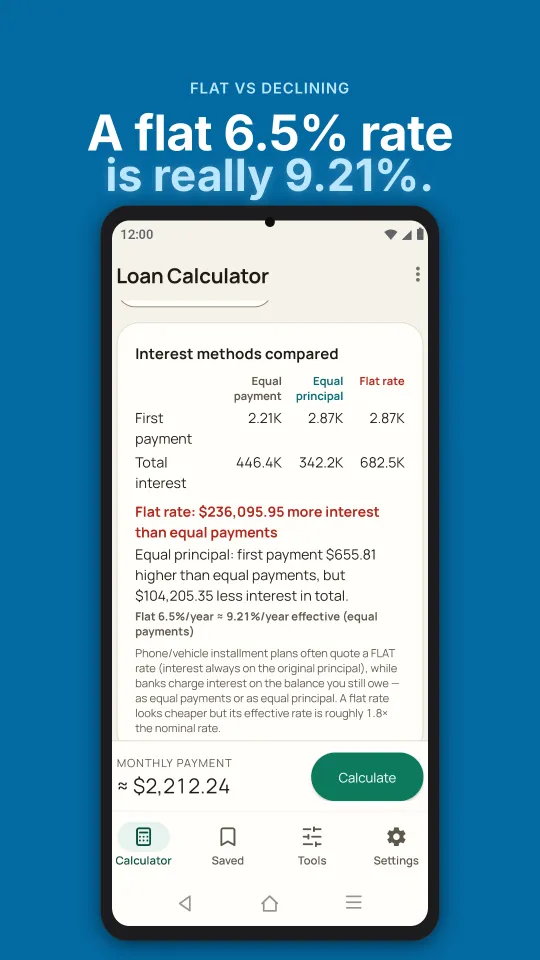
With equal payments (an annuity) every instalment is the same, which is easy to budget. With equal principal you repay the same slice of principal each month plus interest on what is left, so the first payment is the largest and payments fall over time. Equal principal costs less interest overall but needs more cash at the start. Switch the method in the calculator to compare.
The extra amount goes straight to principal every month. Your required payment doesn’t change, but the balance falls faster, so the loan ends sooner and you pay less interest. Ask your lender whether prepayment fees apply.
No. Every calculation runs in your browser. The numbers you type are saved only in this browser’s local storage so they’re still here next time; they are never uploaded. We count page views and button clicks with Google Analytics, which never receives loan amounts or rates. See the privacy policy.
Not yet. Loan Calculator is available for Android on Google Play. This web calculator works on any phone, tablet or computer.
They are estimates. Lenders may round differently, count days differently or add fees and insurance. Use the results to compare options and confirm the final figures with your lender. Nothing here is financial advice.
Save loans, get payment reminders and compare offers side by side. The Android app works fully offline.
